

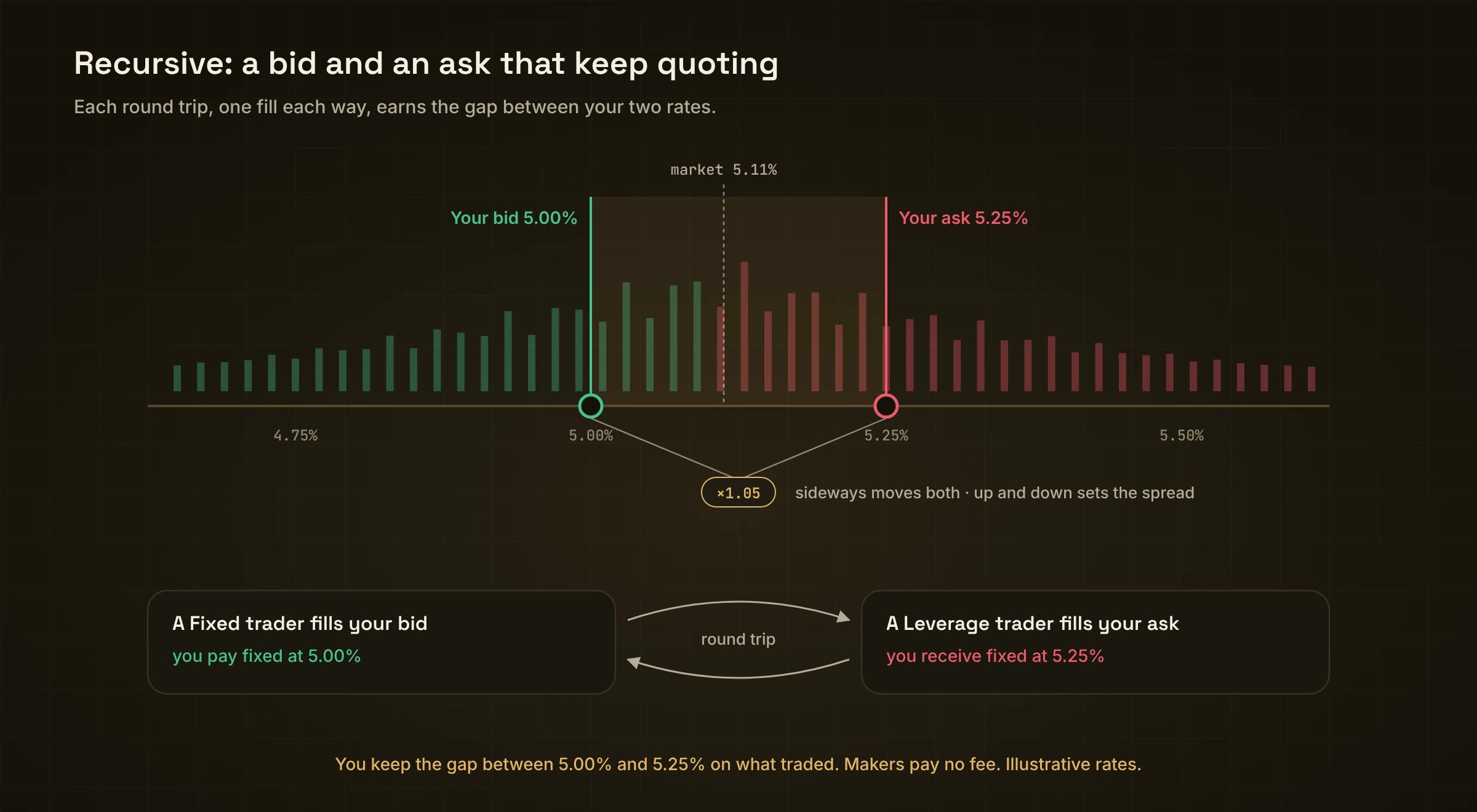
Bid below, ask above. A round trip earns the gap.
Limit or Recursive?
Add
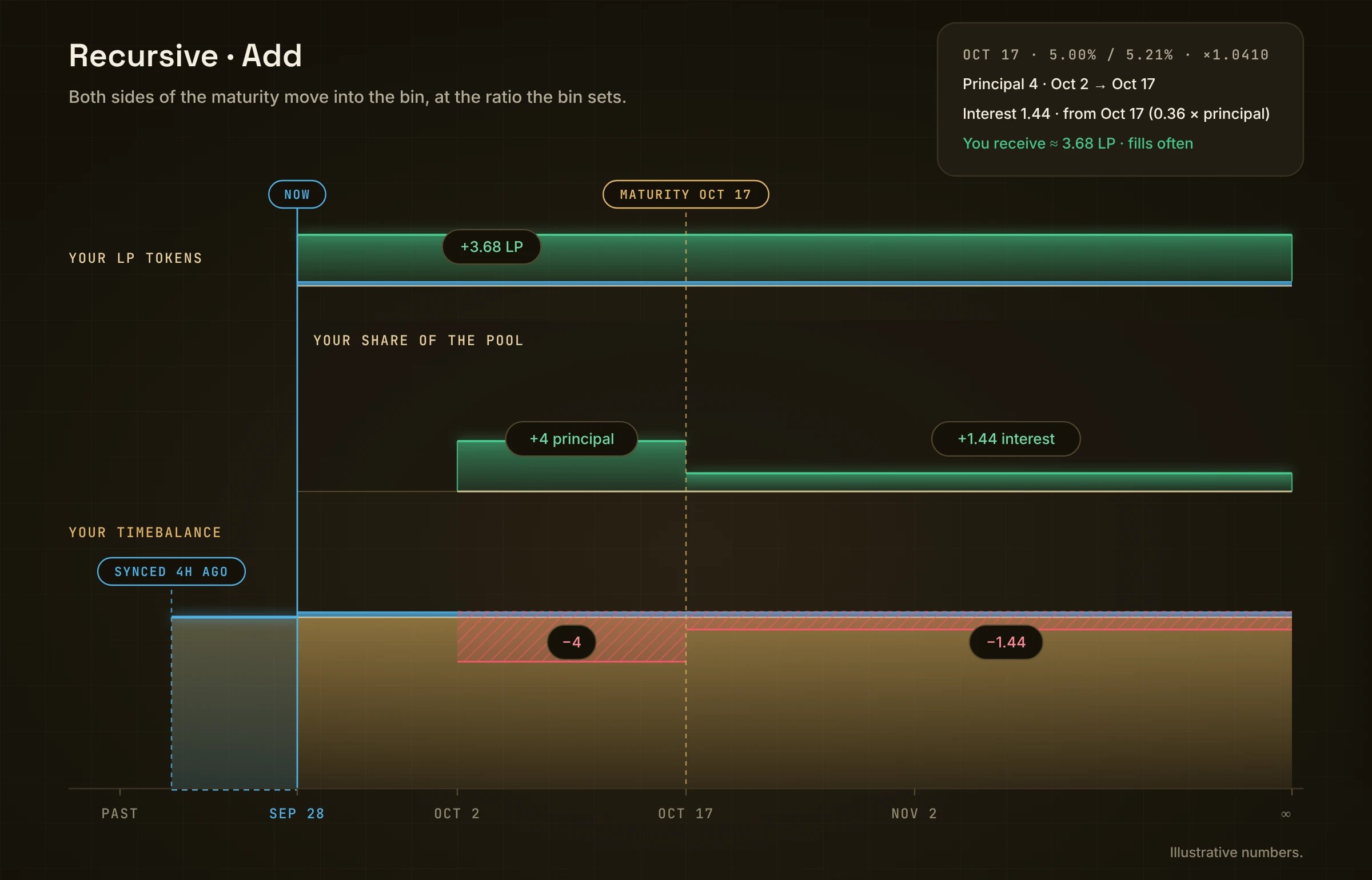
Both sides move from your TimeBalance (red) into the bin (green).
- Open Recursive in the top bar and pick a market.
- Pick Add, then TimeBalance or sUSDS.
- Pick a Maturity, for example Oct 17.
- Set Your rates: a Bid and an Ask. The Spread shows how far apart they are, for example ×1.0410 (the ask is the bid × 1.0410, so a 5.00% bid gives a 5.21% ask), within the allowed range (for example ×1.0065 – ×1.1300).
- Type the Principal (for example 4, Oct 2 → Oct 17). The Interest fills in by itself, because the bin sets the ratio (“Interest = 0.36 × principal · set by the bin”).
- You receive shows your LP tokens. The badge reads “×1.0410 Spread · Fills often”.
- Review → Confirm, then sign.
While it runs
The chart’s middle lane reads Your share of the pool. As traders fill one side, your share leans toward the other side. When they come back, you earn the spread. Your LP tokens grow as the bin earns, and sync on their own clock (LP synced). At the maturity, the bin stops quoting. Its interest side becomes plain TimeBalance and keeps earning. Its principal side has run its course: it earned the vault’s yield over its period, and nothing of it is left. Nothing to do on the day.Remove
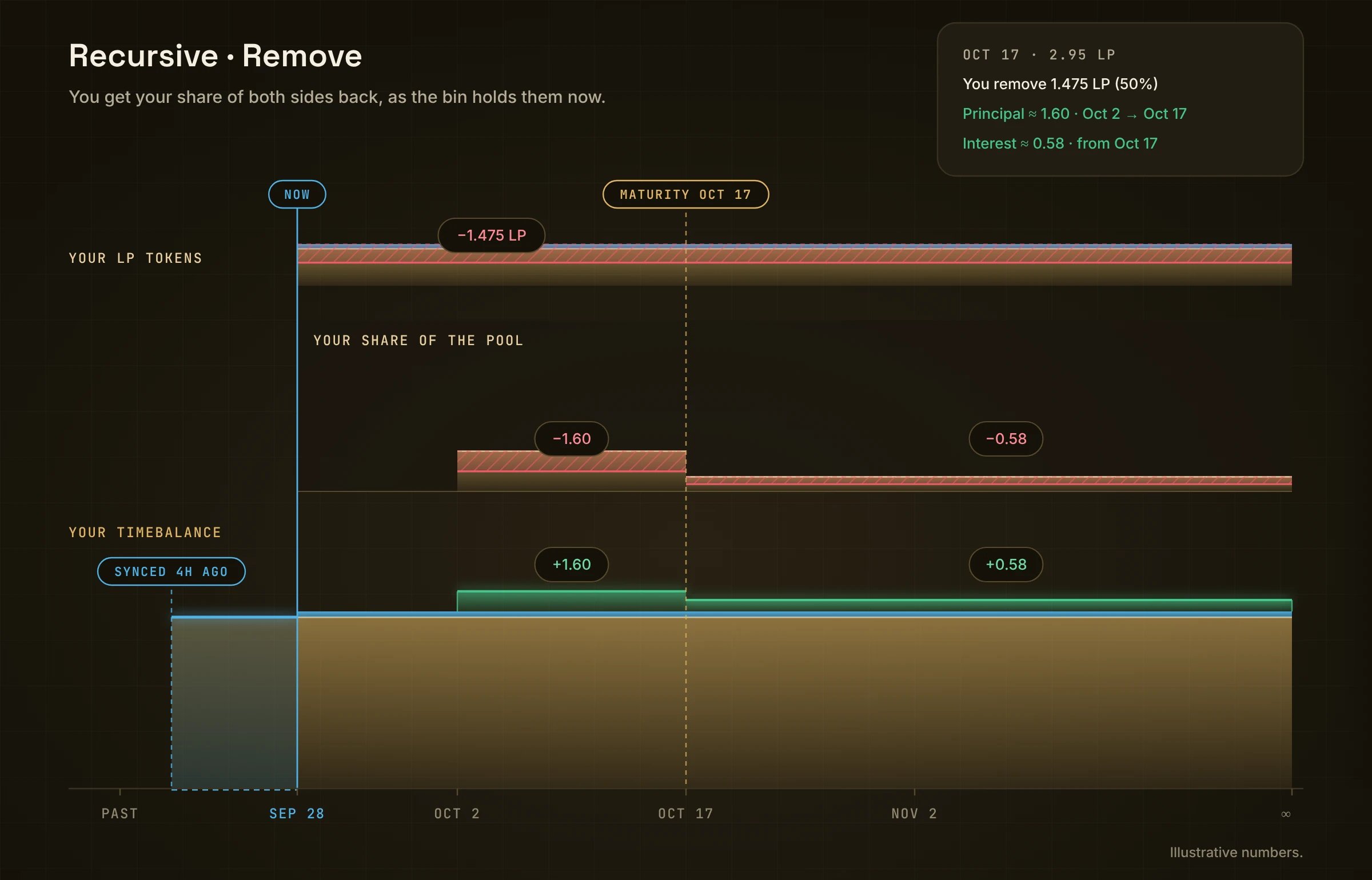
LP tokens and your bin share shrink (red). Both sides come back to your TimeBalance (green).
- Pick Remove. Your positions lists each maturity with your LP and its bid / ask.
- Pick one, for example Oct 17 · 2.95 LP.
- Choose how much: 25% / 50% / 75% / Max.
- You receive · into your TimeBalance shows both parts, for example Principal ≈ 1.60 (Oct 2 → Oct 17) and Interest ≈ 0.58 (from Oct 17).
- Review → Confirm, then sign.