

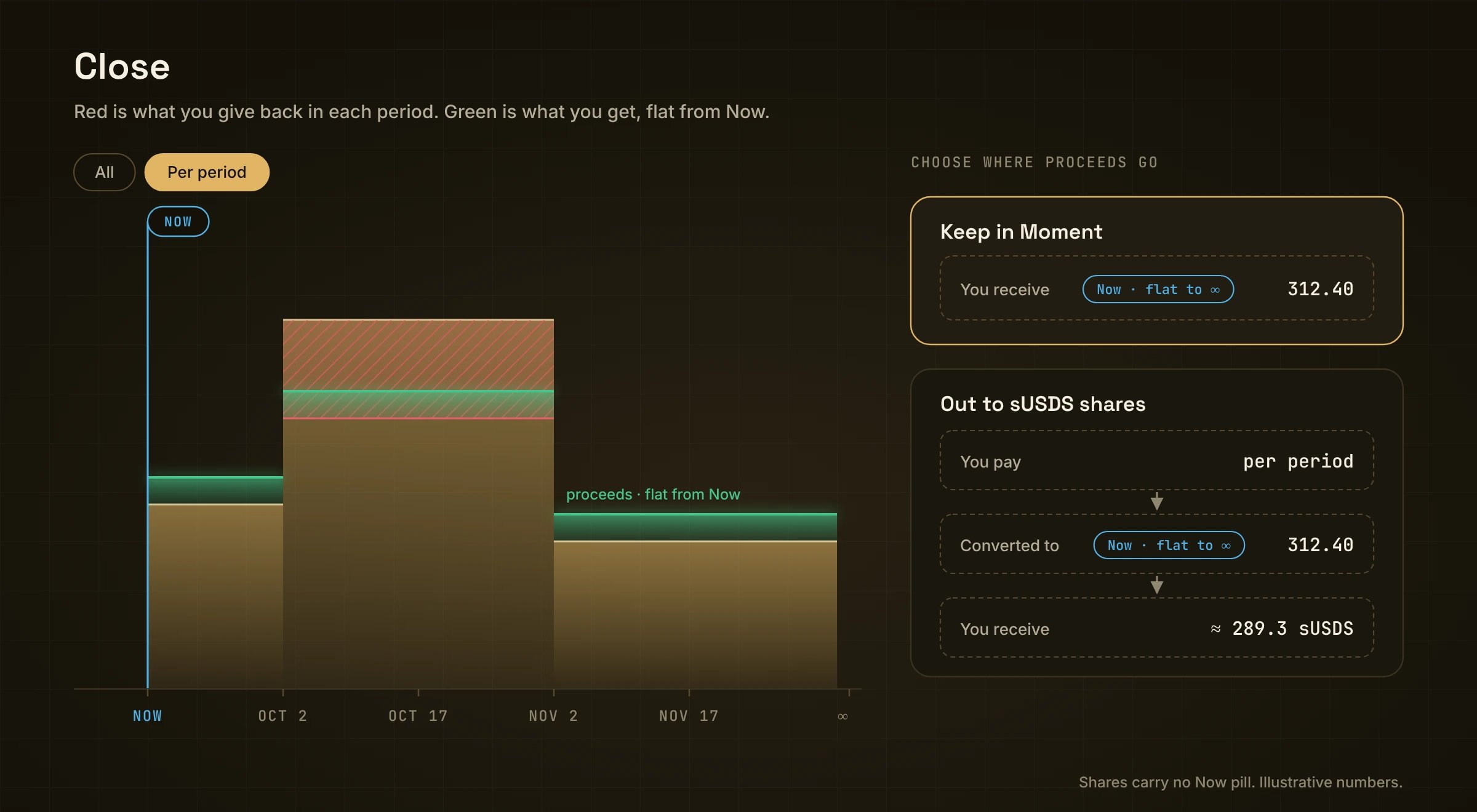
Red is what you give back in each period. Green is what you get, flat from Now.
The form
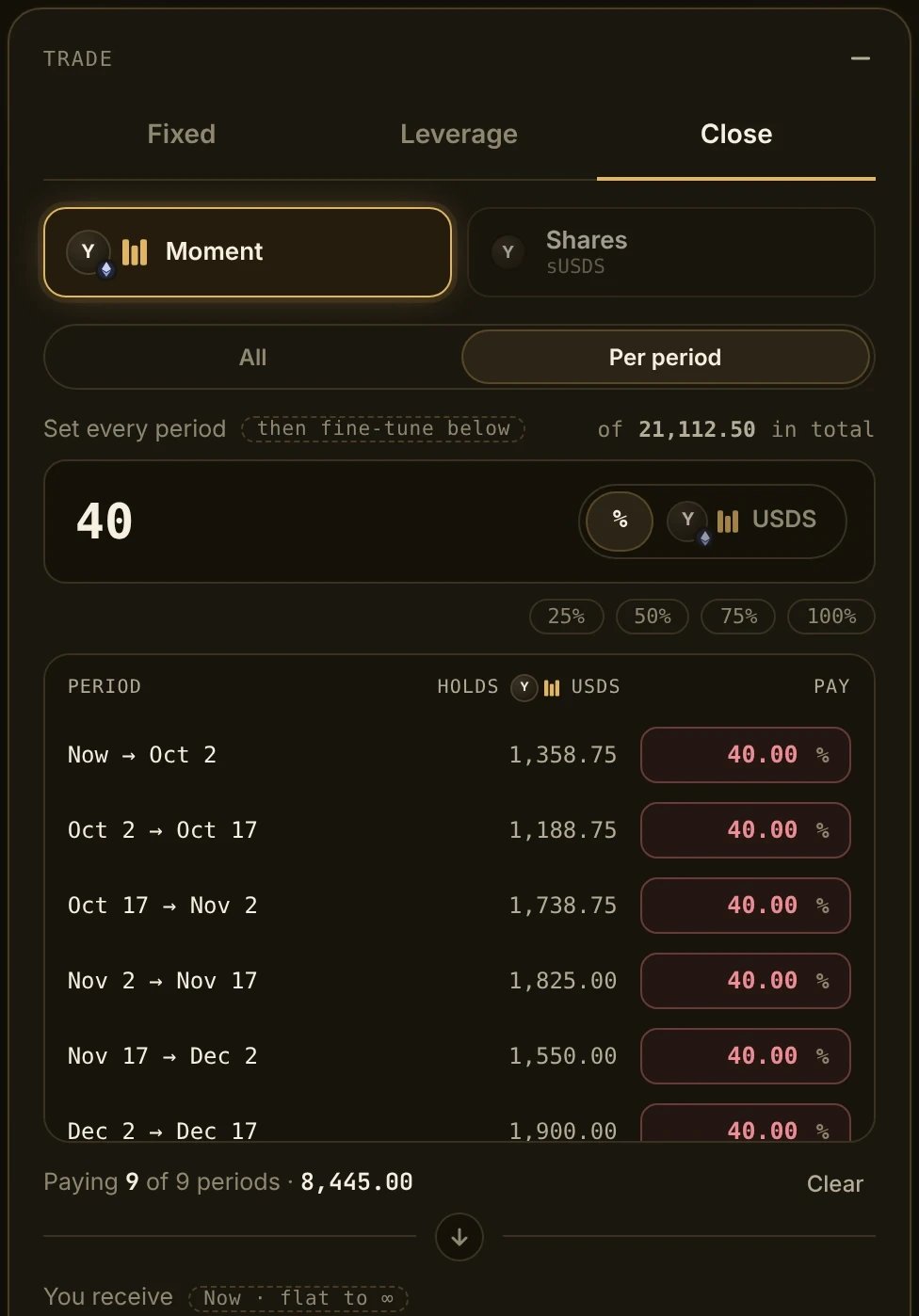
The Close form, here with Per period at 40% of every period.
2. Which periods
The line under the amount says how many periods you are paying from, like “Paying 4 of 4 periods”. Clear resets them.
3. Percent or a fixed amount
Tap % or USDS next to the amount.
Quick buttons: 25% / 50% / 75% / 100% when you use %.
Steps
- Open the market and pick Close.
- Pick Moment or Shares.
- Pick All or Per period.
- Pick % or USDS, and type the amount (or set each row).
- Check You receive.
- Review → Confirm, then sign in your wallet.
What you get back
You get what the closed part is worth today, not the sum of the red. Most of the value sits in the period that runs to ∞. A short period only holds a few days of yield, so on its own it is worth little. For example, closing 300 from each of three short periods (900 in total) returns only about 1.5, while closing 100 from the period that runs to ∞ returns about 99.5. That is not a loss: it is what those pieces are worth today.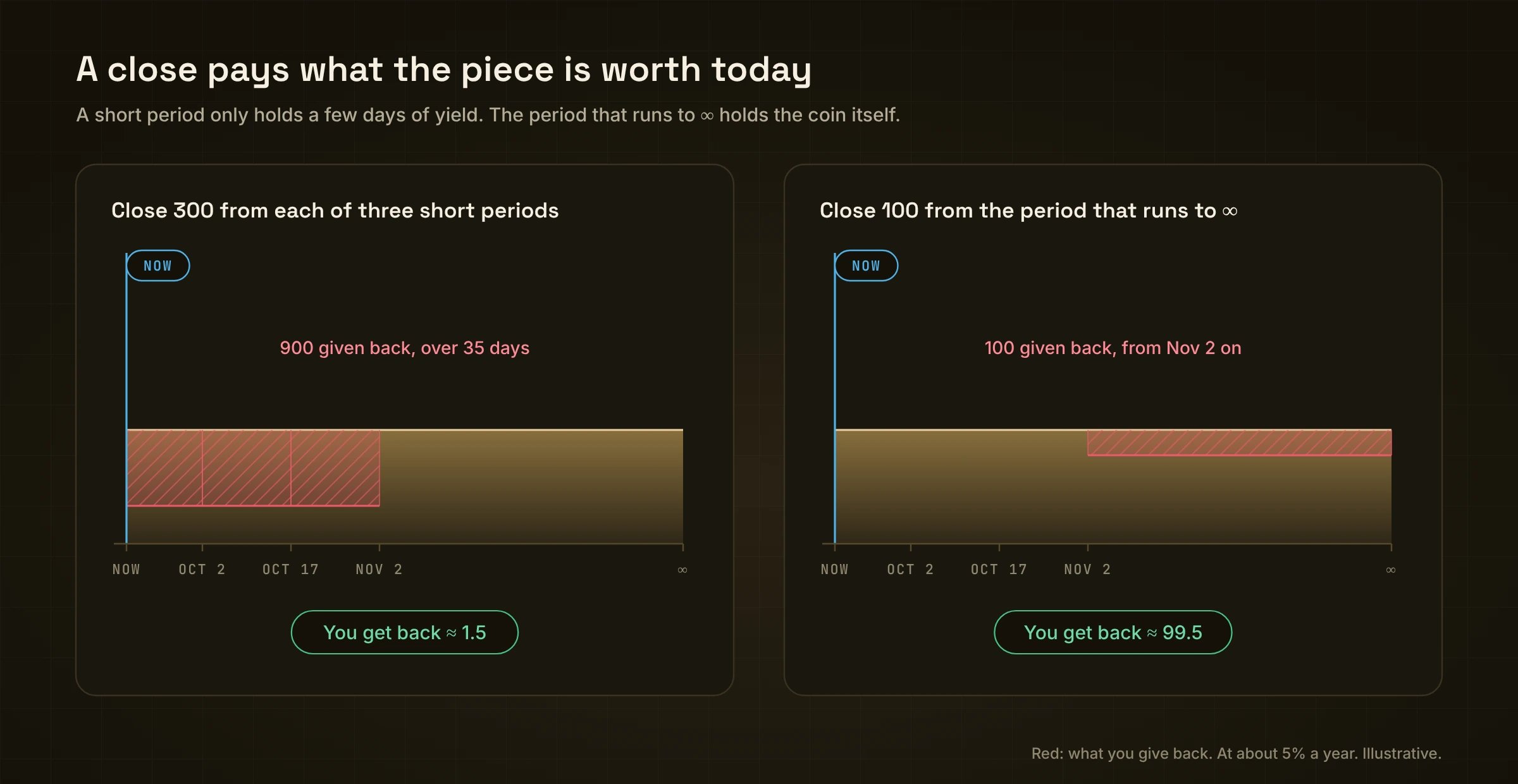
The same idea in a picture: short periods hold little; the period to ∞ holds the coin.
Good to know
- Today’s prices. A close uses the market rates right now, not the rate you locked in. It can return more or less than holding to the end.
- All or nothing. A close across several periods either fills completely or not at all.
- Fee. Closing before the maturity is a Fixed or Leverage trade in reverse through the book, so it pays the same 0.5% taker fee. Let the position reach its maturity and there is no fee at all: a Fixed position has realised all its yield and is plain balance, and a Leverage window has run down to 0 with its yield already in your balance.
- Slippage tolerance shows in the form (0.5% by default). The APR section shows the rate used for each period.