

This uses the example sUSDS market. Numbers are examples; the app shows live ones.
Before you start
You need a wallet. You can pay from your Moment TimeBalance, or with Tokens from your wallet (like sUSDS). No TimeBalance yet? Just pay with Tokens.Steps
- Connect your wallet. Top right.
- Open Markets. First item in the top bar: Markets · Limit · Recursive · Dashboard.
- Pick a market. Each row shows a fixed rate and the date it runs until, like “5.21% fixed · until Nov 2”, plus its liquidity and your position. Tap Rates by date to see the rate for every date.
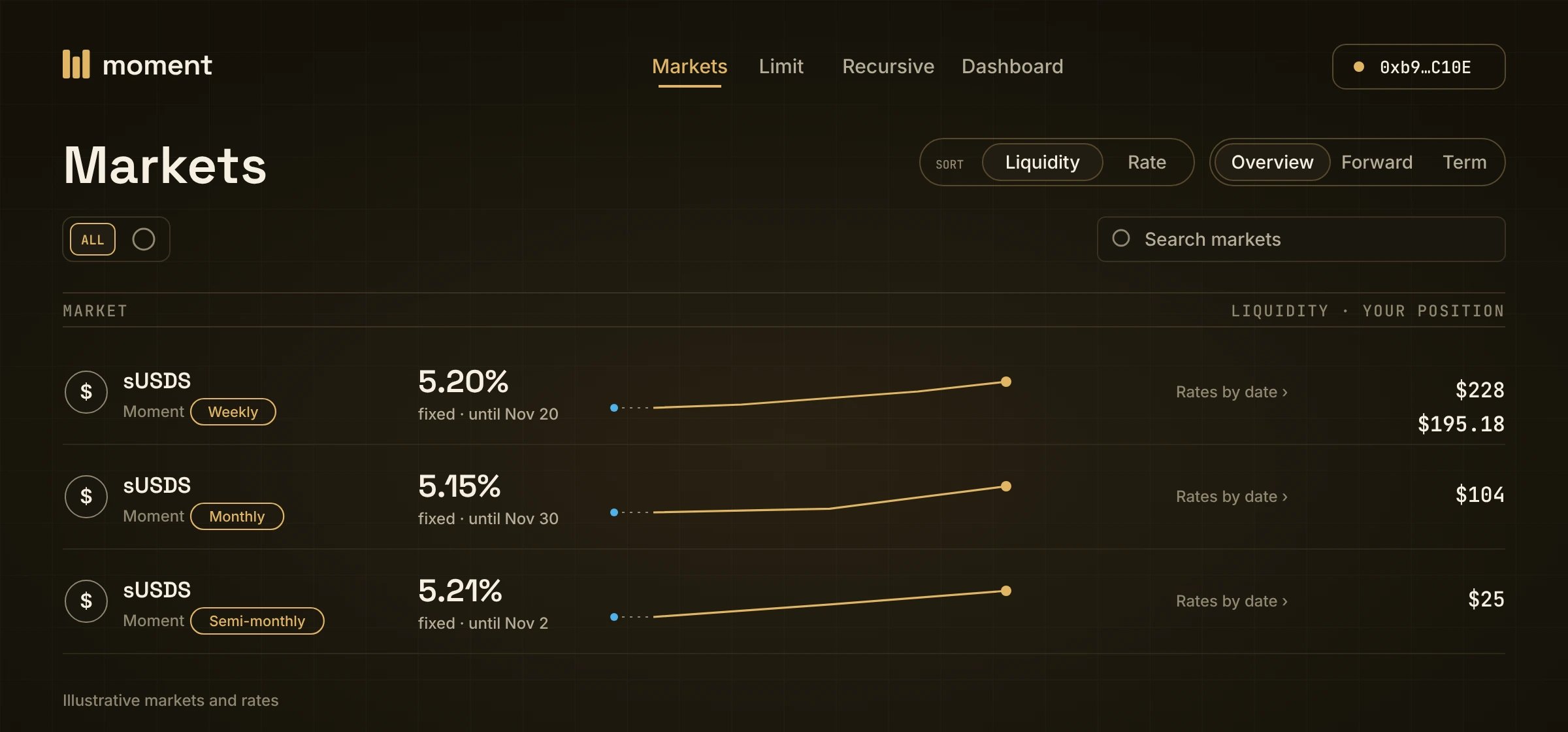
Markets: one row per market. Sort by Liquidity or Rate, and switch between Overview, Forward and Term.
- Pick Fixed. The trade panel has three tabs: Fixed · Leverage · Close.
- Pick how you pay. Moment (your TimeBalance) or Tokens (from your wallet, like sUSDS). With Tokens, nothing comes out of your TimeBalance, so the chart shows no red.
- Type an amount in You pay, or tap 25% / 50% / 75% / Max. Max includes the yield waiting to sync.
- Pick a date in You receive, like From Nov 2 · 35 days. The box below shows what you get, like ≈ 1,005 USDS.
- Check the quote. The badge shows the rate, like +5.21% APR. Tap Details to see each step.
- Review → Confirm, then sign in your wallet.
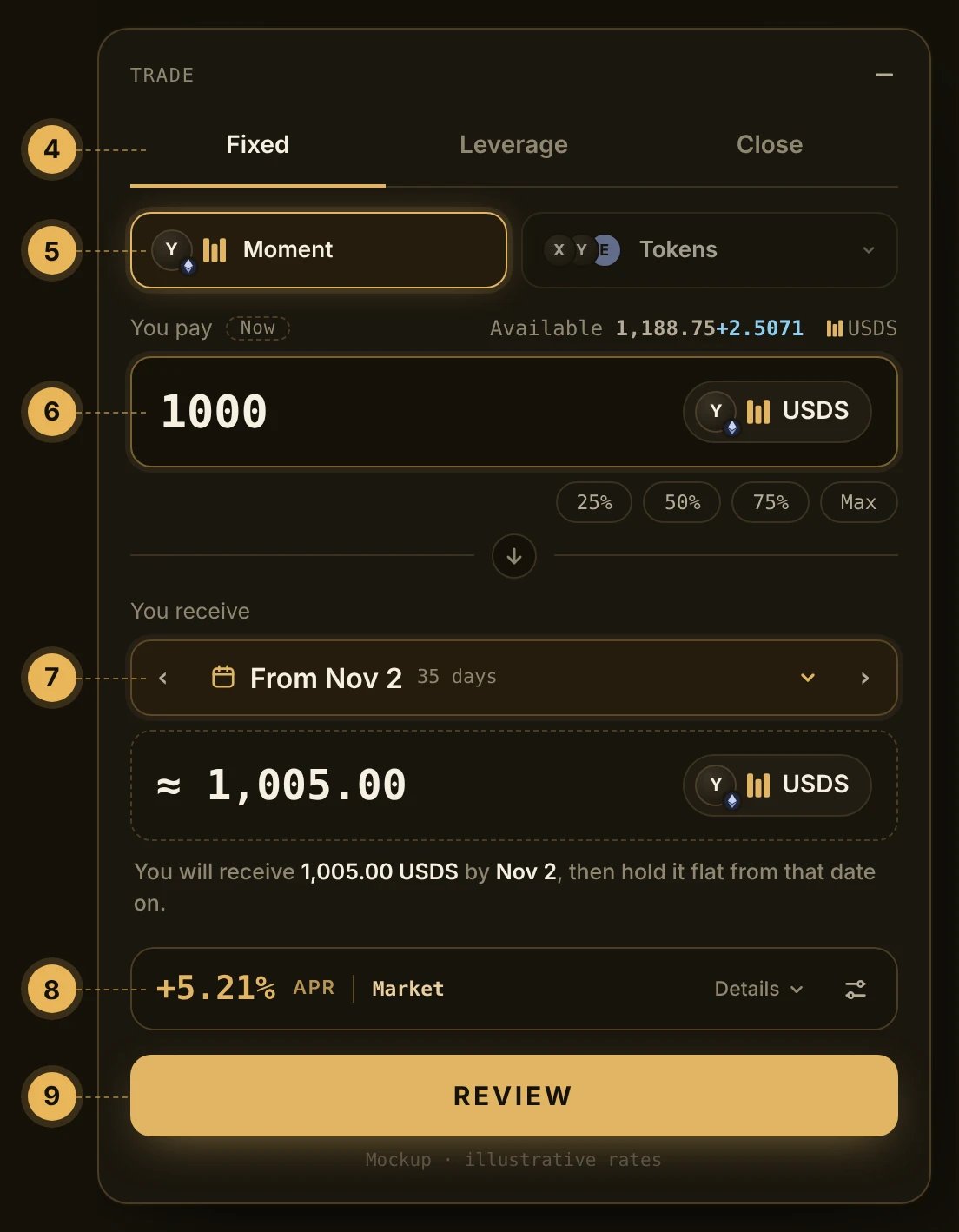
The trade panel. The numbers match steps 4 to 9.
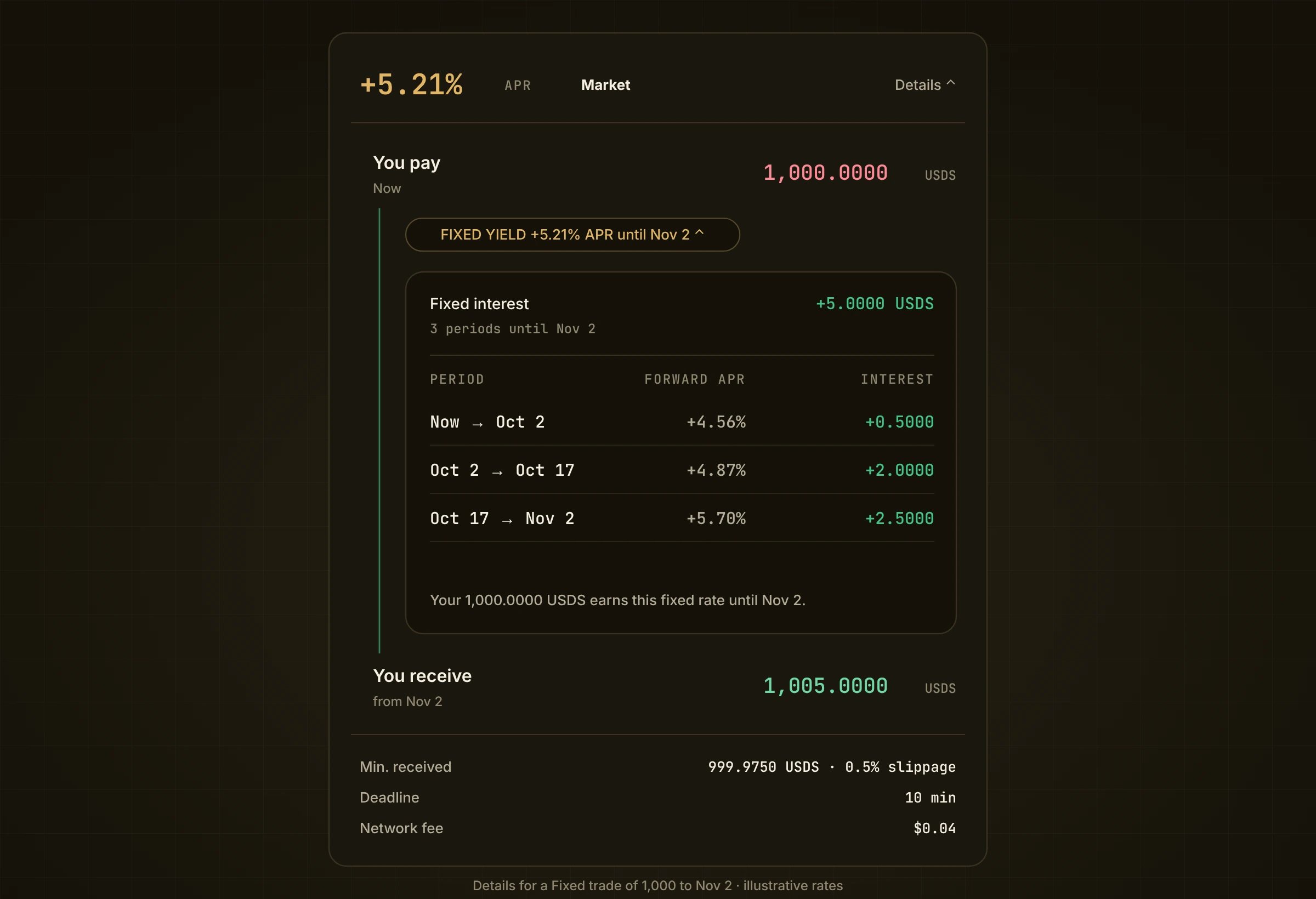
Step 8, Details: what you pay, the fixed yield period by period, and what you receive.
Getting money in and out
- In: pay with Tokens (like sUSDS) in any trade, or add liquidity with sUSDS. The tokens become your TimeBalance.
- Out: use Close and pick Shares. Your balance leaves to your wallet as sUSDS.
- How much comes out at face value: the lowest point of your line from Now on. With a flat 1,000, that is 1,000. Right after a Fixed trade of the whole 1,000 to Nov 2, it is 0 until Nov 2. Any other part comes out at what it is worth today.
Settings
The slider icon next to Details opens Trade settings. Slippage starts at 0.5%. You can also set a deadline.If something looks off
- The quote keeps changing. It refreshes every 12 seconds as rates move.
- A trade failed. A trade across several periods is all or nothing. If one period can’t fill, the whole trade is undone.
- Your balance is ticking up. That’s yield you are earning. It joins your line at the next sync.