

Every maturity has two sides. The principal side is the period just before it, for example Oct 2 → Oct 17. The interest side runs from it to ∞, for example Oct 17 → ∞. A bid puts in the interest side. An ask puts in the principal side.
Add a bid
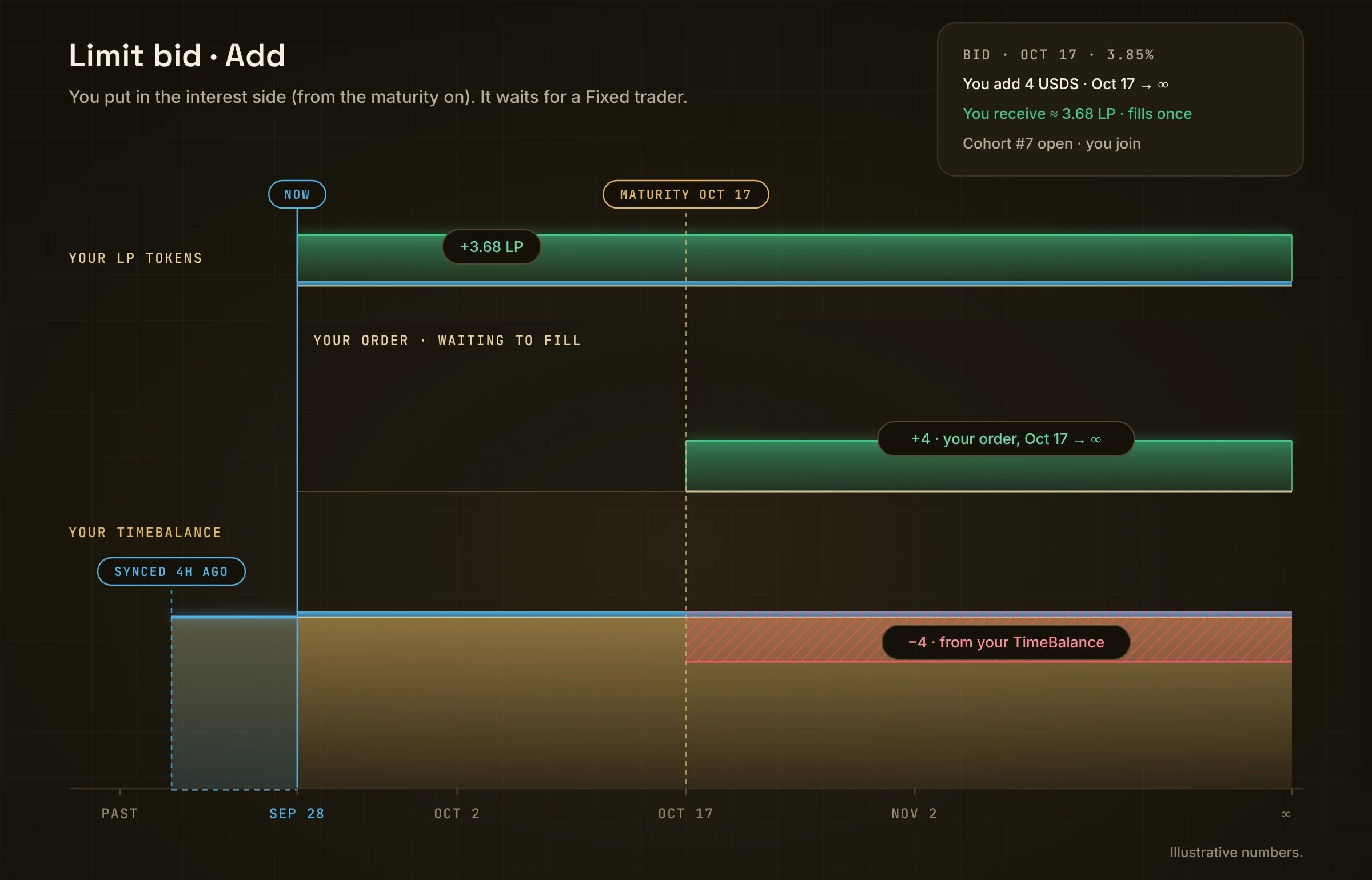
Your side moves from your TimeBalance (red) into the order (green). You get LP tokens for it.
- Open Limit in the top bar and pick a market.
- Pick Add, then TimeBalance (Moment TBT) or sUSDS (shares).
- Pick Bid and a Maturity, for example Oct 17 · 19 days.
- Set your rate under Your rates. The bars show how much is waiting at each rate, with the market bid and ask marked. A bid can’t be at or above the best ask.
- The Cohort chip shows where you join, for example “#6 filling 60% → #7 open · you join”.
- Type what you add. You receive shows your LP tokens.
- Review → Confirm, then sign.
While it waits
The part in your order runs from the maturity on, so it earns nothing until that date; the rest of your line keeps earning as usual. The order rests on the book (“Fills once”). The chart’s middle lane reads Your order · waiting to fill. When a Fixed trader takes it, it fills once and stops. What you get lands in your TimeBalance at the next sync. There is nothing to claim. If nobody takes it by the maturity, your interest side simply becomes plain TimeBalance and keeps earning.Remove a bid
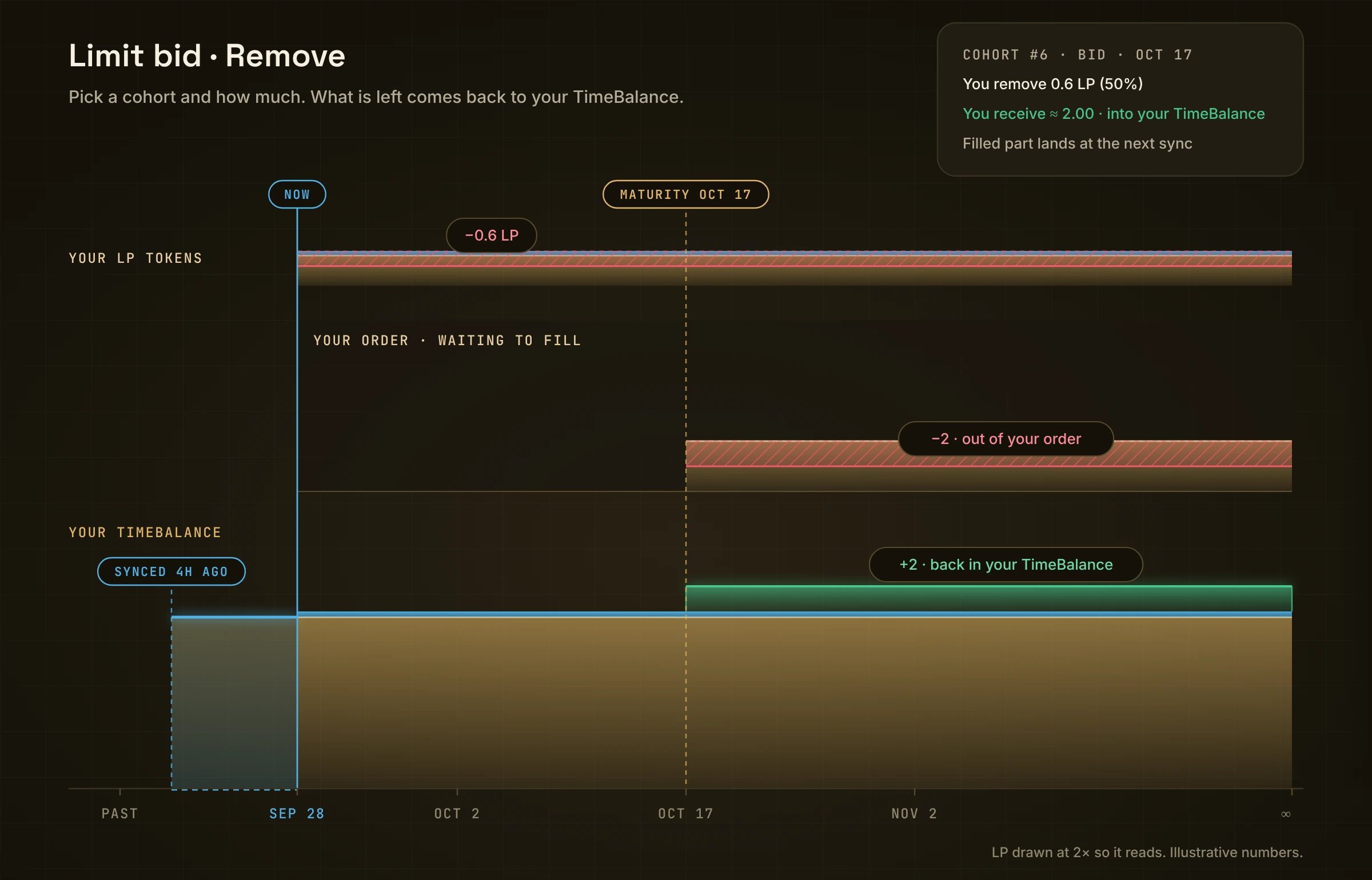
LP tokens and the order shrink (red). Your side comes back to your TimeBalance (green).
- Pick Remove. Your orders lists every cohort, grouped by maturity, side and rate.
- Pick a cohort, for example Cohort #6 · Filling 60%.
- Choose how much: 25% / 50% / 75% / Max, or type it.
- You receive · into your TimeBalance shows what comes back.
- Review → Confirm, then sign.
Cohorts: who gets filled first
Many people can place an order at the same maturity and the same rate. Moment groups those orders into numbered cohorts: #1, #2, #3 and so on.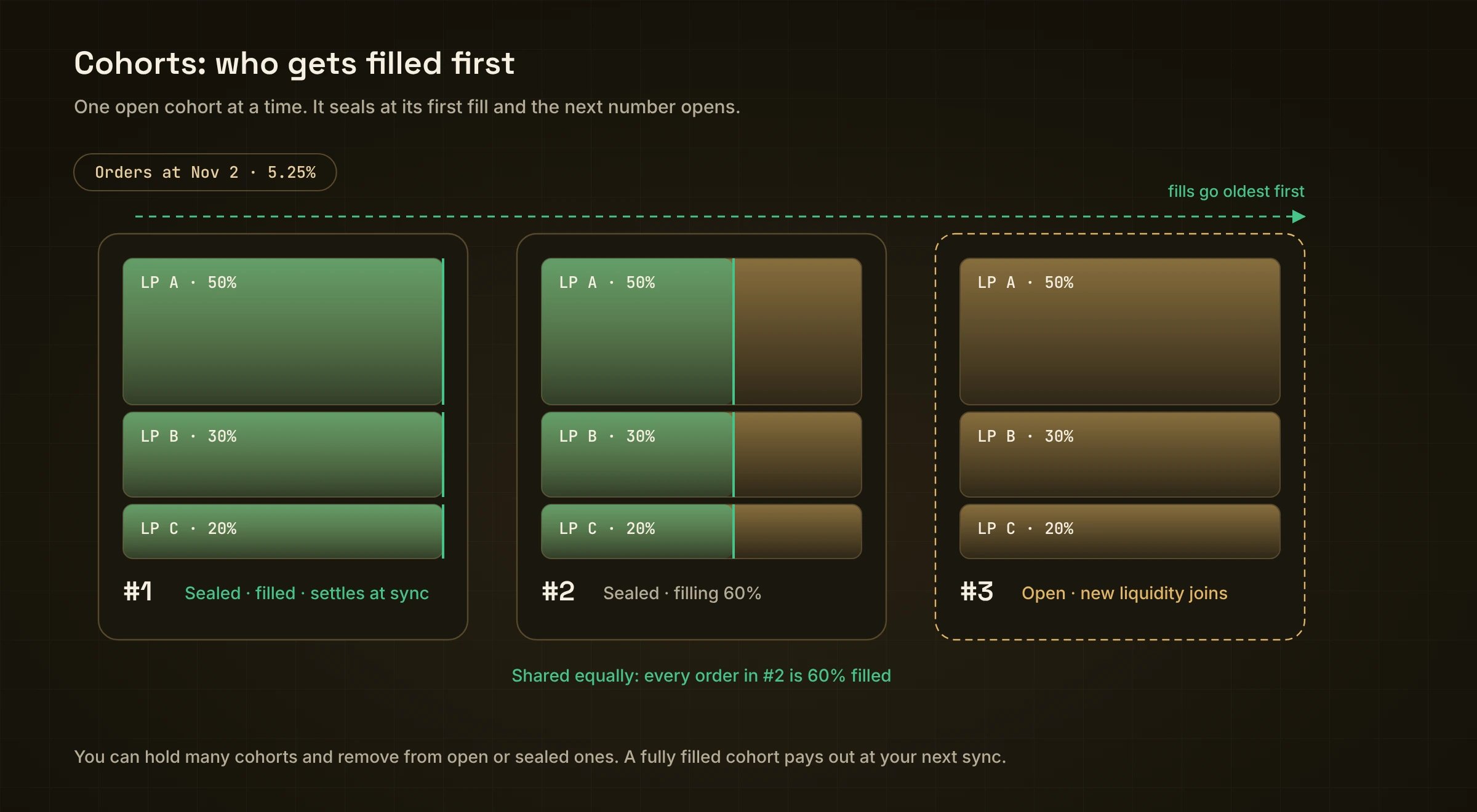
#1 is filled, #2 is filling, #3 is open. Fills go oldest first.
- One cohort is open. A new order joins the open cohort, together with everyone else adding at that maturity and rate.
- It seals at its first fill. As soon as a trader takes any part of it, nobody else can join. The next number opens for new orders.
- Oldest first. Fills go to the oldest cohort that still has room. A newer cohort only fills after every older one is full.
- Shared equally inside. Everyone in a cohort is filled by the same share. If #2 is 60% filled, every order in #2 is 60% filled, big or small.
- Paid at sync. What fills lands in your TimeBalance at your next sync. There is nothing to claim.
In the app
- Add shows the cohort you join, like “Cohort #7 open · you join”.
- Remove lists Your orders · By cohort, so you can take out of each cohort on its own.
- You can be in several cohorts at once, for example if you add on two different days.