

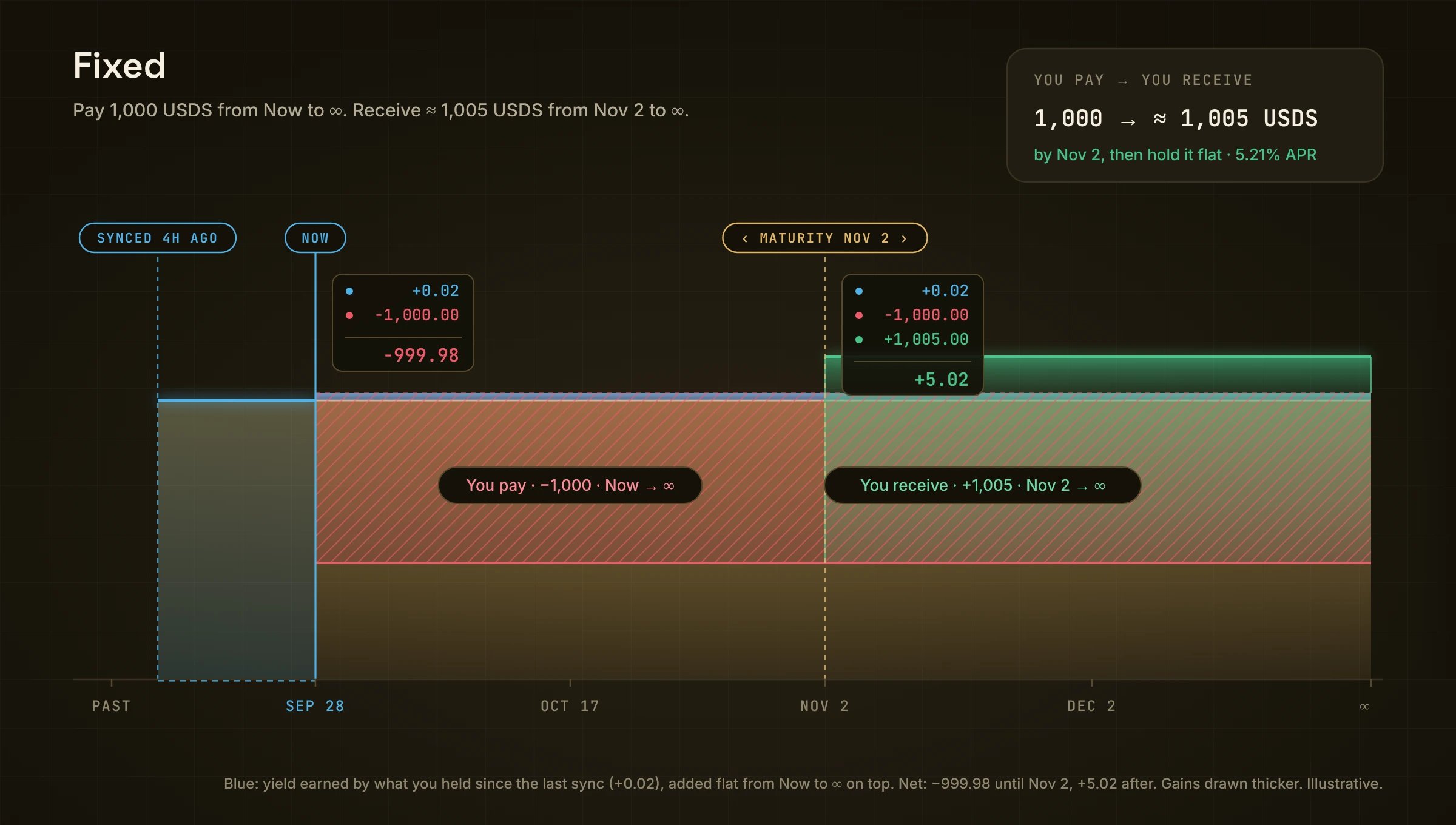
Red is what you pay, from Now to ∞. Green is what you get, from the maturity on.
In one example
Pay 1,000, pick From Nov 2, get ≈ 1,005 at +5.21% APR.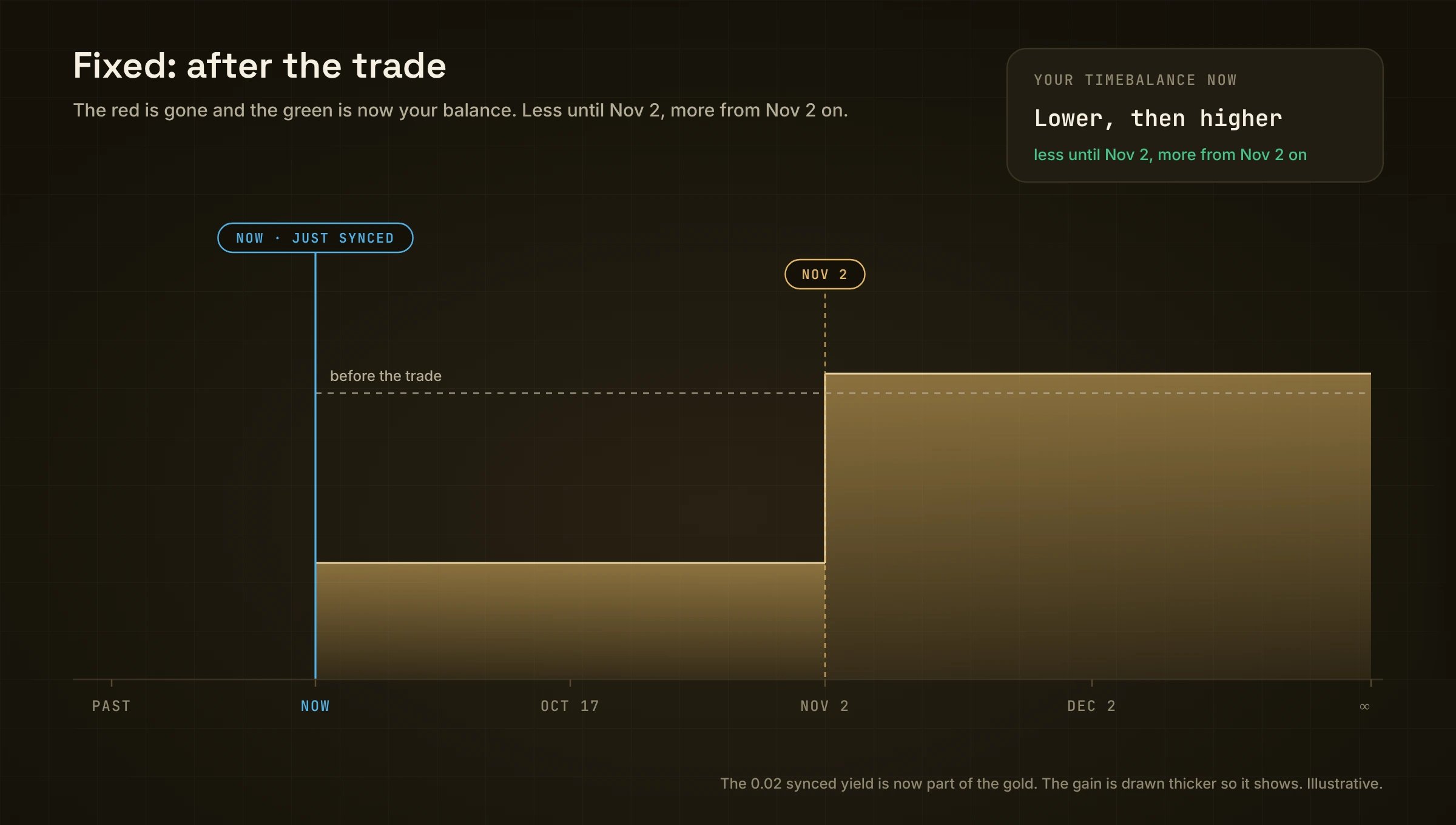
After the trade: the red is gone and the green is now part of your balance.
Your money is locked until the date
Paying 1,000 from your TimeBalance leaves your line 1,000 lower until Nov 2. You can’t withdraw that 1,000 before Nov 2. To get out early, use Close: it pays what your position is worth today, which can be more or less.How the rate works
You give up an amount x of your line from now until the date. In return you get x × rate × days ÷ 365 more, from that date on. Here: 1,000 × 5.21% × 35 ÷ 365 ≈ 5. So you hold 1,005 from Nov 2 on. Fixing across several periods works the same way, period by period. Each period is priced on its own rate and the results chain, so the exact total is a touch above this estimate. The app shows the exact figure.Fixed or just hold?
Holding earns whatever the vault pays. Fixed locks 5.21%, whatever the vault yields. So the break-even is 5.21%: Fixed wins if the vault averages less than that until Nov 2, and holding wins if it averages more. 1,000 for 35 days, until Nov 2:
Fixed gives up the upside in exchange for certainty. From Nov 2 on, both earn the vault’s yield again. “The vault averages” means the yield you actually get, after Moment’s 5% performance fee.
Steps
- Open a market and pick Fixed.
- Pick Moment (your TimeBalance) or Tokens (from your wallet).
- Type an amount in You pay, or tap 25% / 50% / 75% / Max. Max includes the yield waiting to sync.
- In You receive, pick a date, for example From Nov 2 · 35 days. The list shows the rate and amount for every date.
- Check the line under the form: “You will receive 1,005 USDS by Nov 2, then hold it flat from that date on.”
- Review → Confirm, then sign in your wallet.
Paying with Tokens
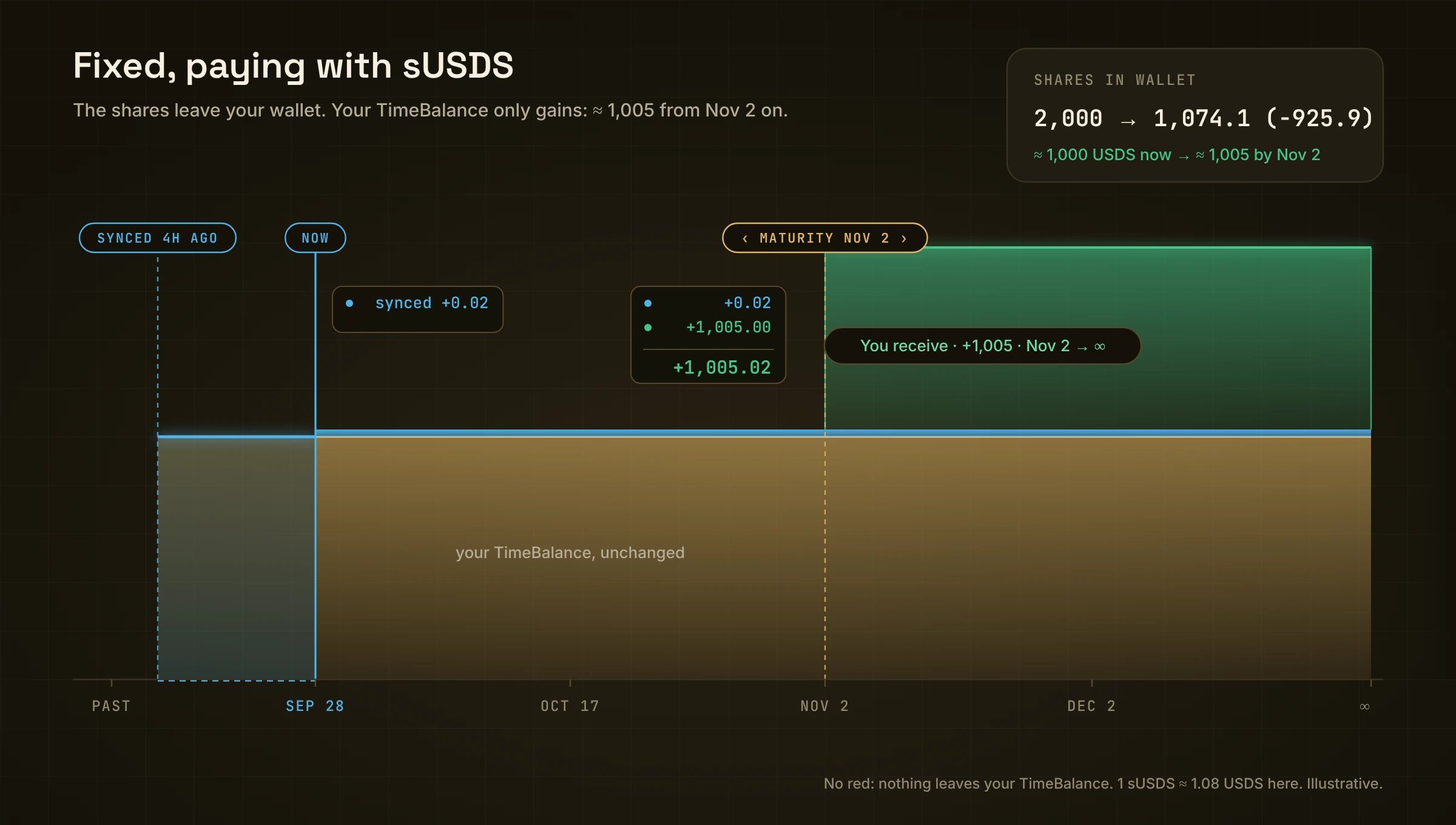
With Tokens there is no red. The tokens leave your wallet instead.
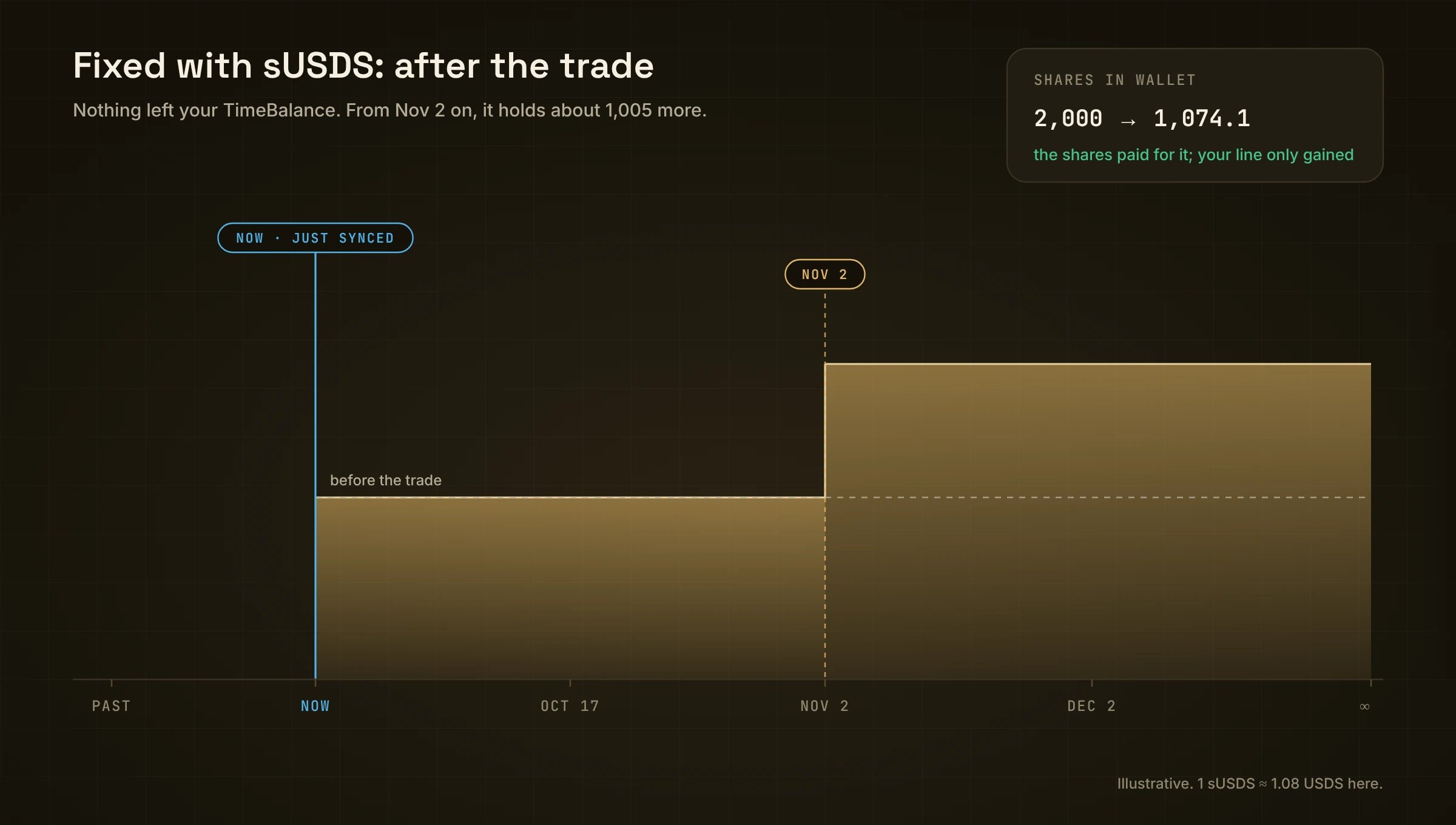
After the trade: from Nov 2 on, your line holds about 1,005 more.
Details
Tap the rate badge to open Details: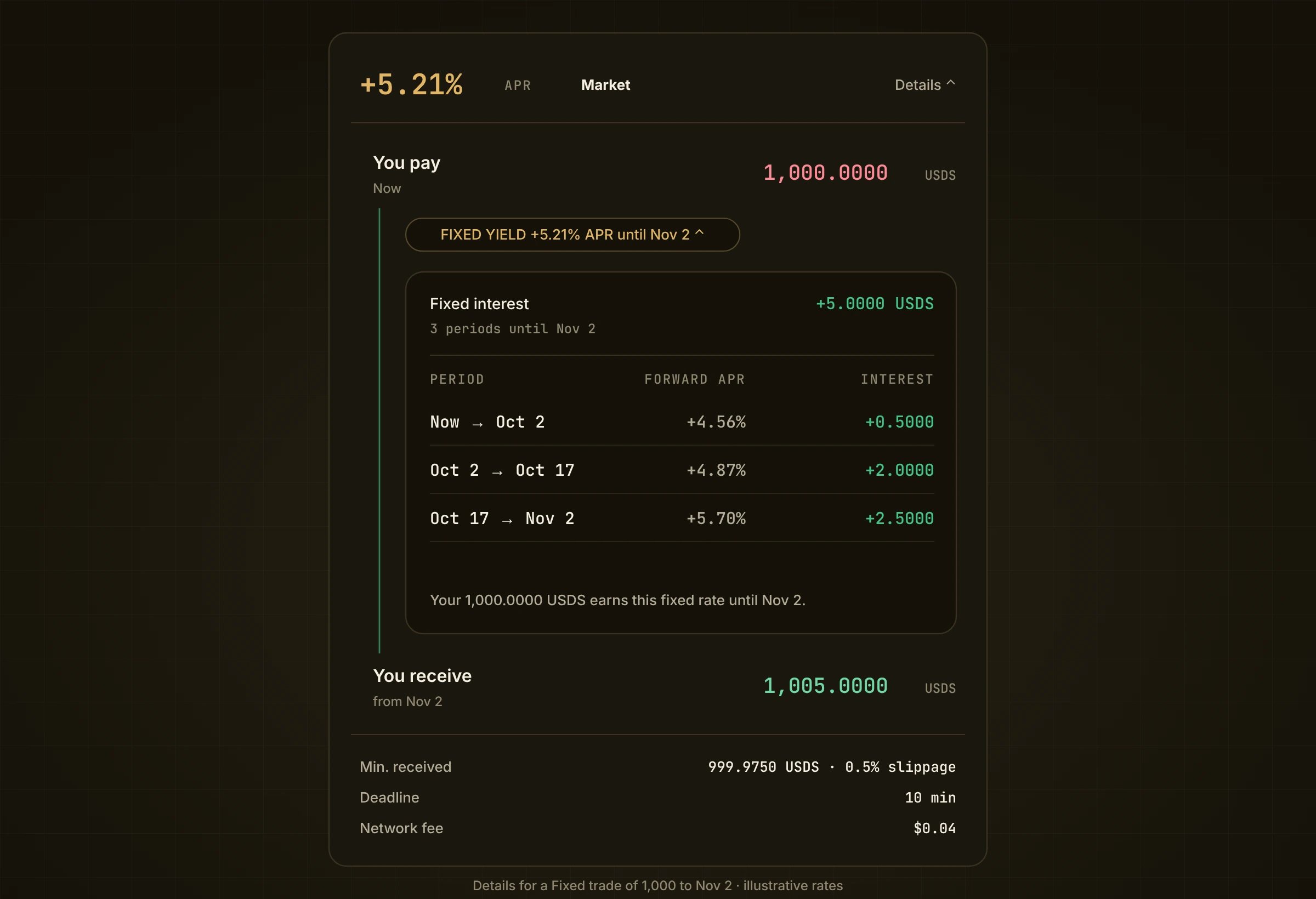
Details: what you pay, the fixed yield period by period, and what you get.
- You pay · Now, then Fixed yield +5.21% APR until Nov 2, then You receive · from Nov 2.
- Tap Fixed yield to see each period: its Forward APR and the Interest it adds.
- Below: Min. received (with your slippage), Deadline, Network fee.
Your own rate (limit order)
Switch Market to Limit and type Your rate. If it is above the market, the button reads Review limit order and your order waits on the book until someone fills it. See Limit ask.Hold or close
- Hold: from Nov 2 your bigger balance just stays in your line. Nothing to claim.
- Close early: use Close. It pays today’s prices, which can be more or less than holding.